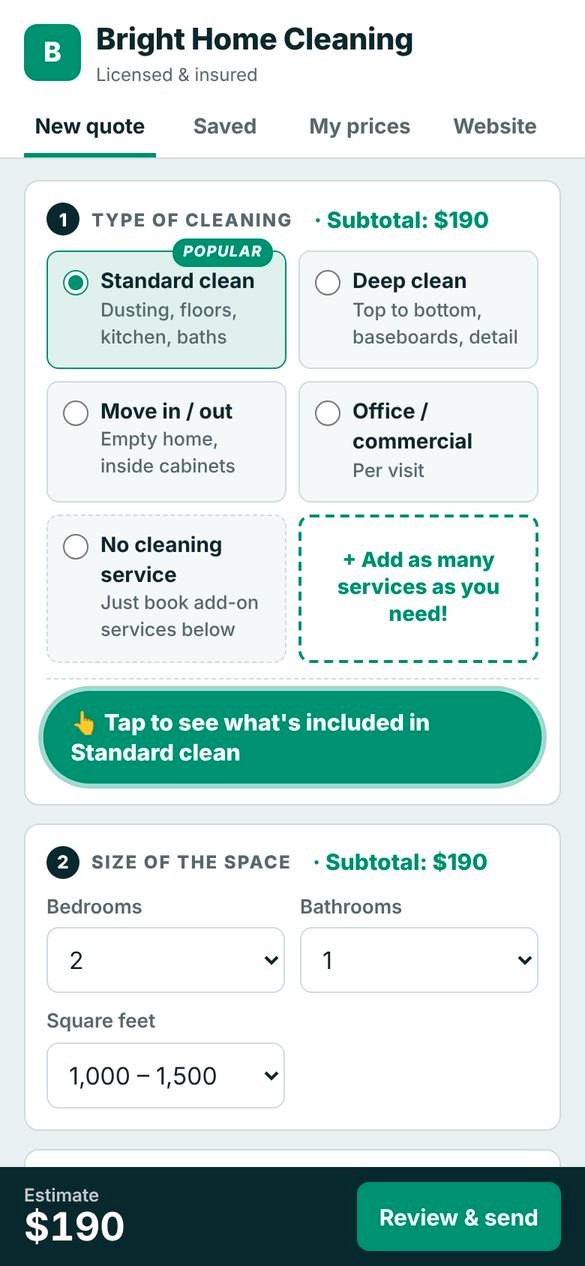
Build the quote
Pick the service, size and extras. The price and your profit build themselves, so you never underprice a job.
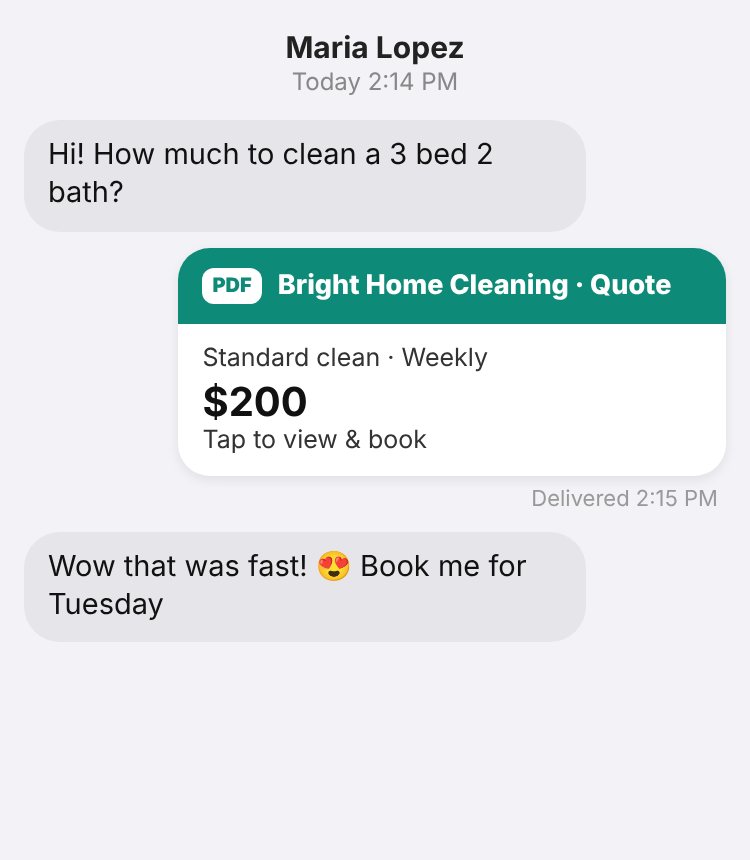
Send it by text or email
Your branded quote goes out in one tap, as a link or a PDF, with your logo and colors.
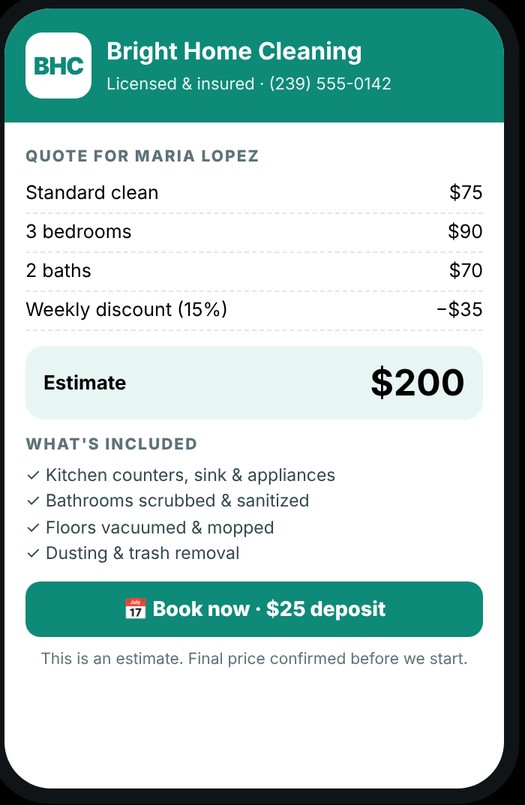
The client says yes and books
They open your quote, see exactly what's included, and tap Book now with a deposit.
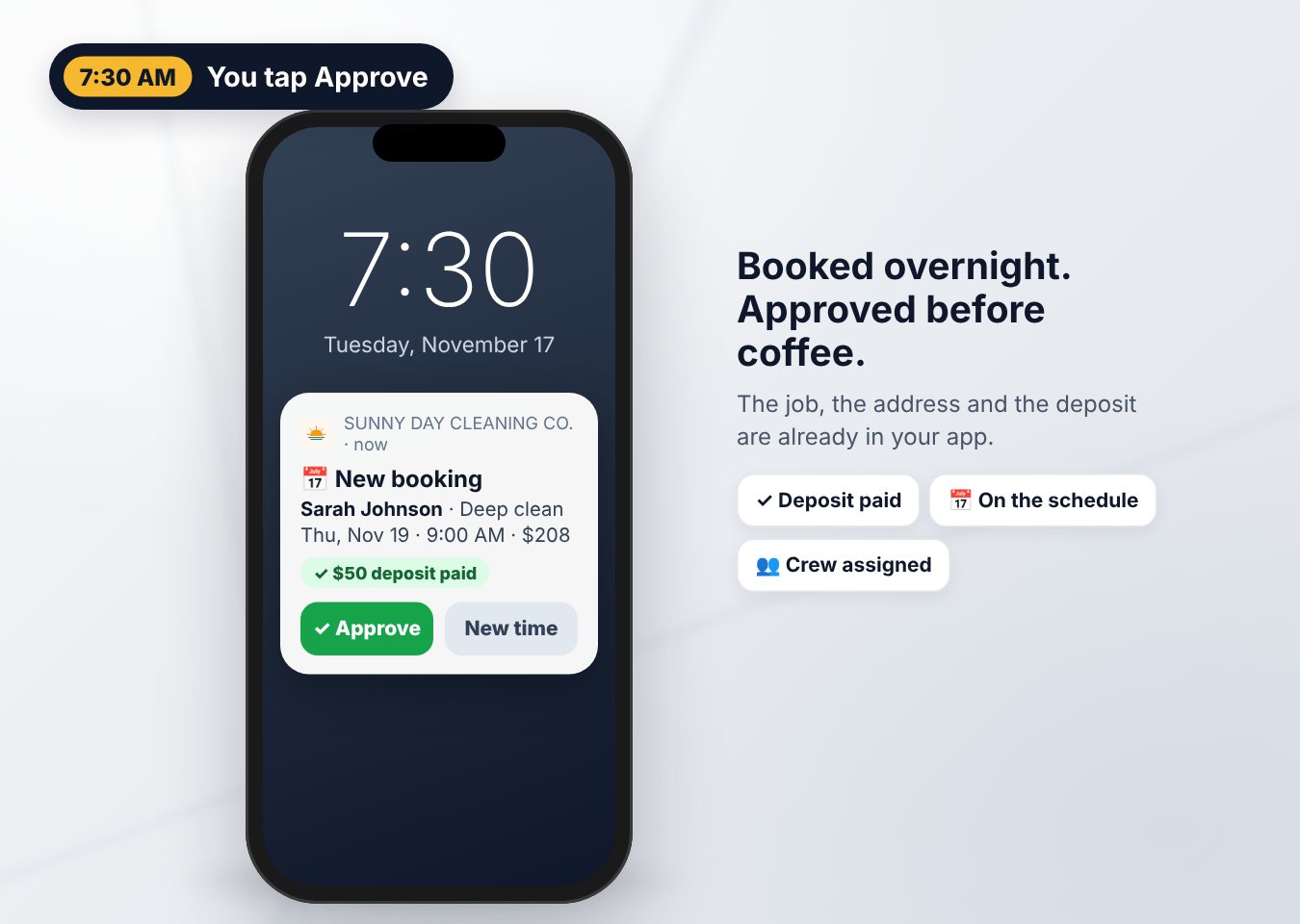
Approve the booking
You get a notice. One tap approves it, and the deposit is already paid.
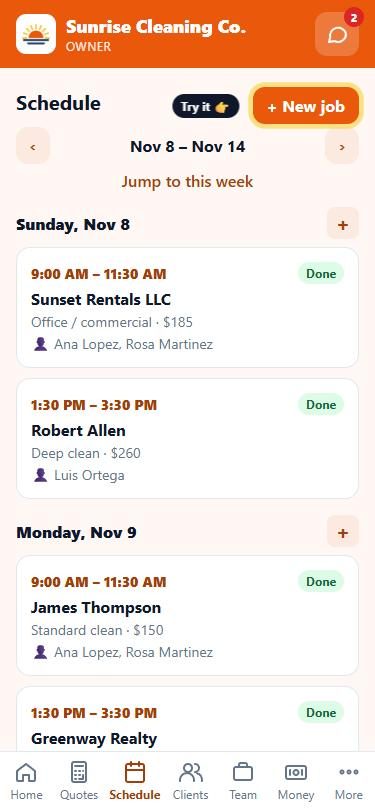
Schedule it and assign your crew
The job lands on your calendar. Pick who goes. They see it in their own app with the address, notes and gate code.
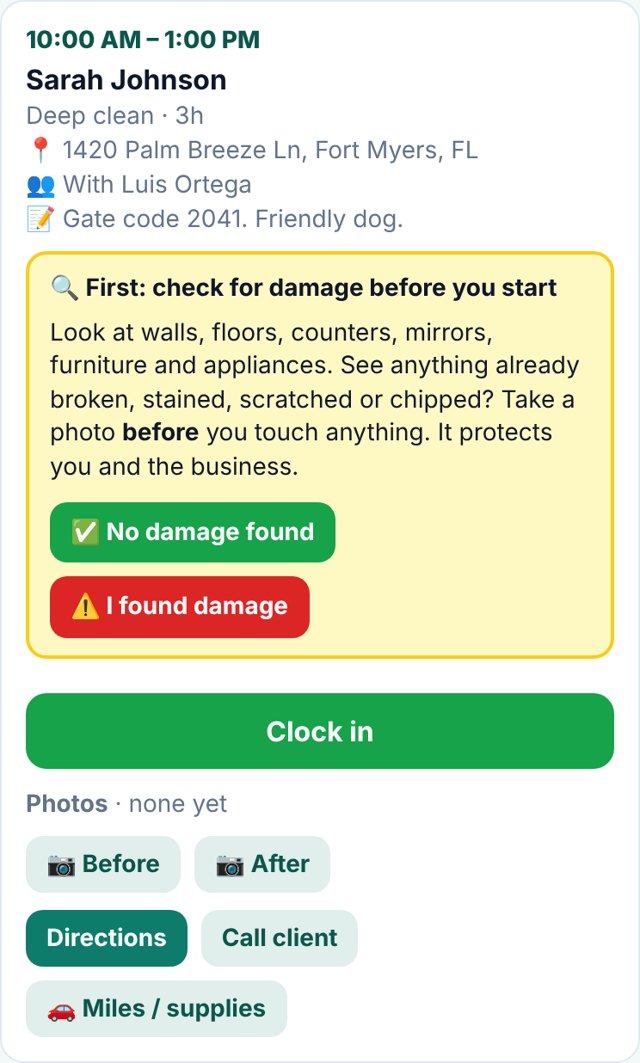
Crew arrives and checks for damage first
Before touching anything, the app asks your crew to look for damage that's already there. One tap: no damage, or I found damage.
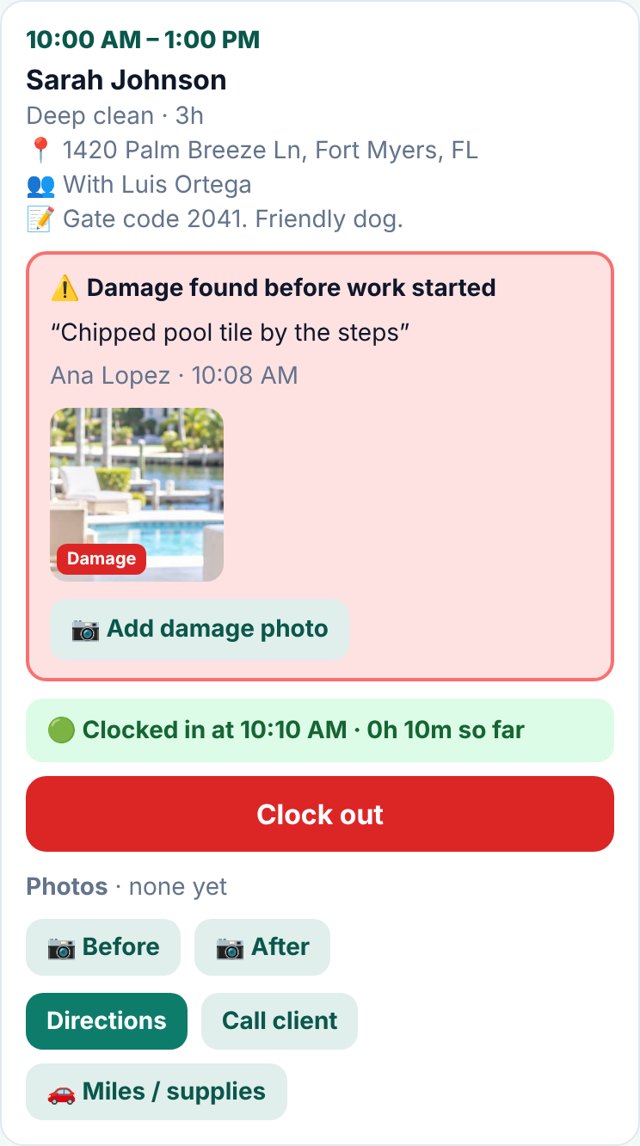
Damage is photographed, then they clock in
Anything already broken gets a note and photos, saved with the job. Then they clock in with GPS, so you know they're on site.
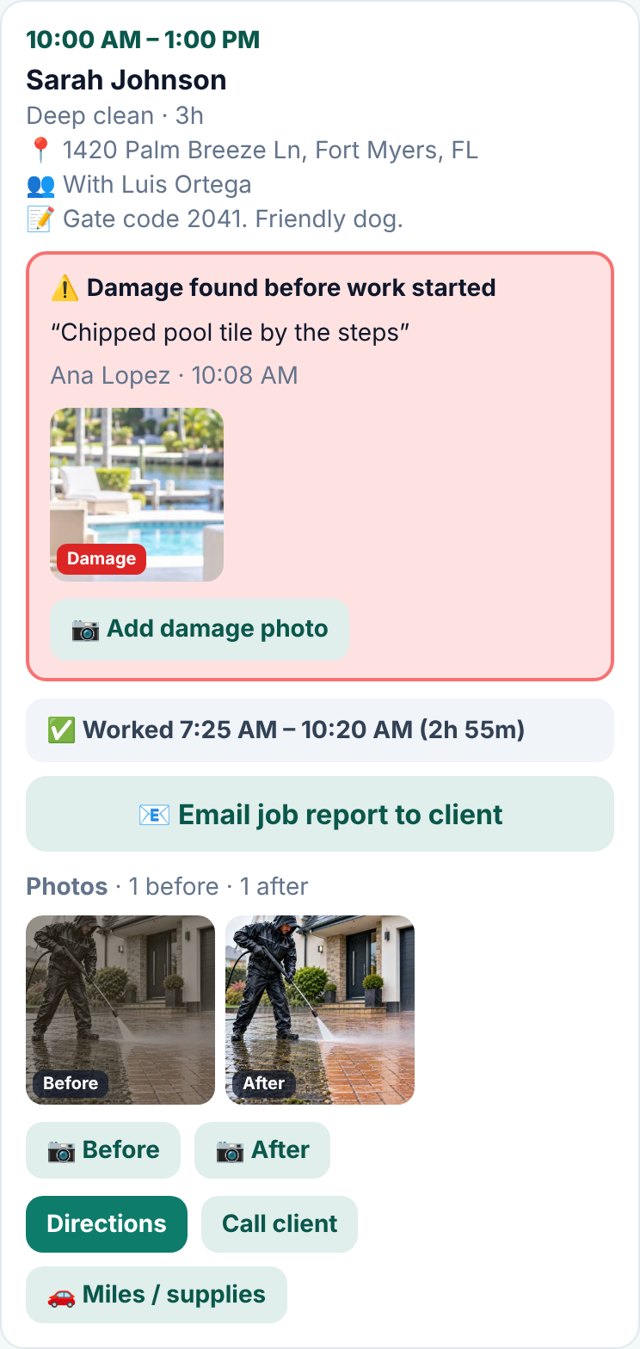
Before and after photos, then a job report
Your crew snaps before and after photos. When they clock out, they email the client a job report in one tap.
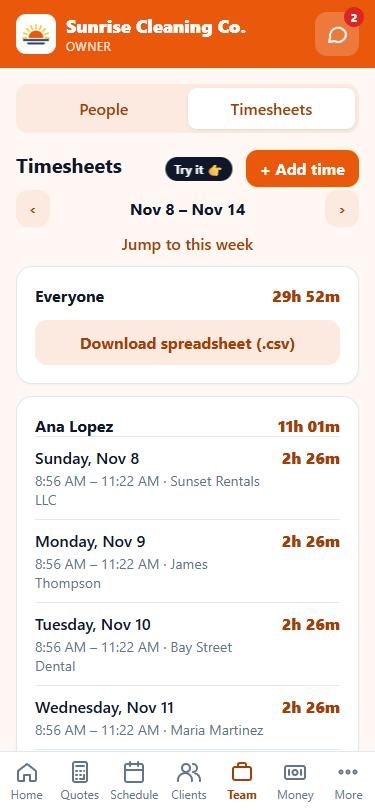
Hours track themselves
Every clock-in and clock-out fills the timesheet. Download it for payroll.
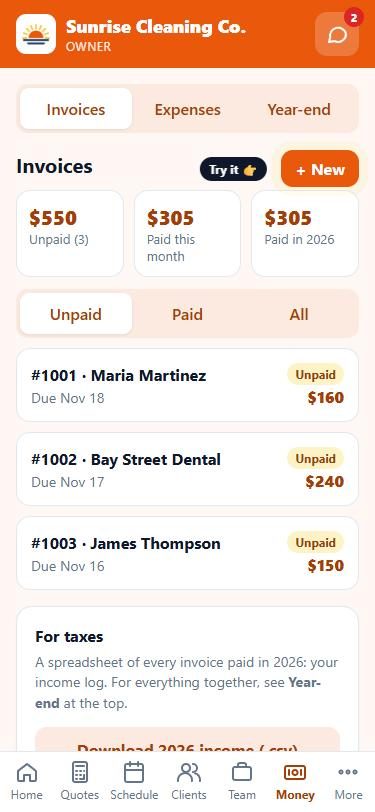
Send the invoice. Get paid.
Invoices go out with a Pay Now button, and every paid job lands in your year-end tax report.